Chats can be either created within a Project or added to an existing project using a couple of methods.
Creating a chat in a project
| While in your project start a new chat thread, it is automatically associated with the project and is available to others based on the project sharing settings |  |
Adding an existing chat thread to a project (within the project UI)
| From within the project click on the Add chats button | 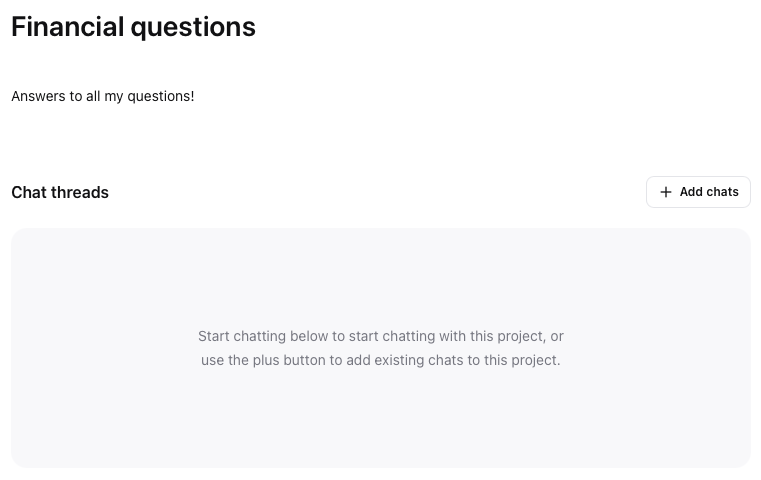 |
|
| |
|
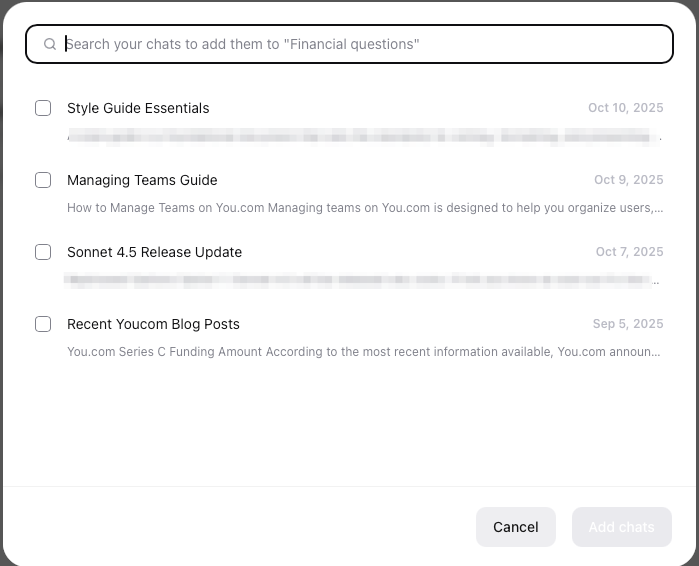
The UI will present all chats that are not assigned to other projects to select from
Use the search bar to find the chat(s) you would like to add or alternatively scroll through the list and check the button for each chat thread to be added
Click Add chats when complete
|  |
Adding an existing chat thread to a project (from the Chat UI)
| When working with a chat thread, you have a number of options in the top right corner of the UI. |  |
| | |
| Click the add to project icon |  |
| Select from the list of existing projects or alternatively click Create new project to start a new one | 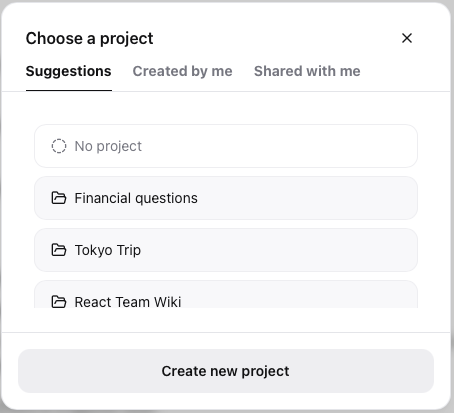 |