Projects can be deleted either from the project tile within the project listing or from within the project itself.
Project Listing
|
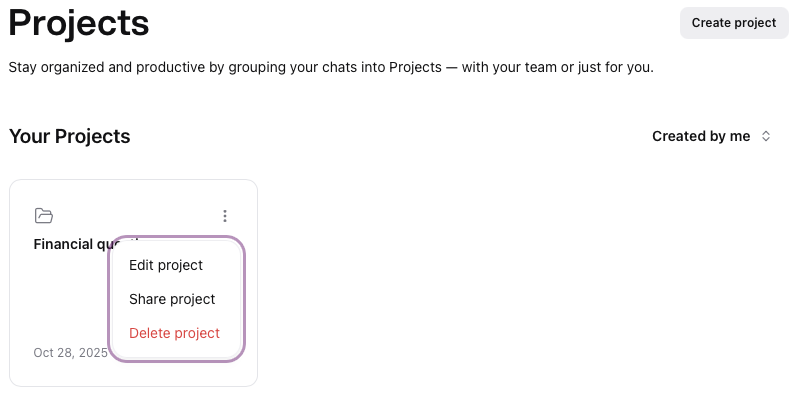
In the project listing, mouse over the top right corner of the project tile to reveal the options menu , click to display the options.
Click on Delete project
|  |
Project View
|
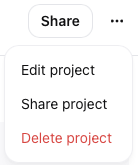
Within the project view, click the options menu , click to display the options.
Click on Delete project
|  |
Edit project details window
|
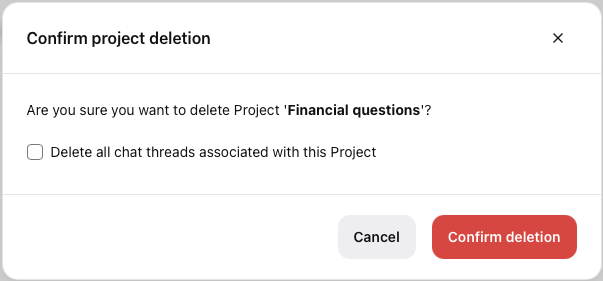
A confirmation window will appear,
if you wish to delete the associated project chats, check the box
click Confirm deletion to permanently remove the project from your organization
or
Click Cancel to return to the prior screen
|  |