Projects can be edited either from the project tile within the project listing or from within the project itself.
Project Listing
|
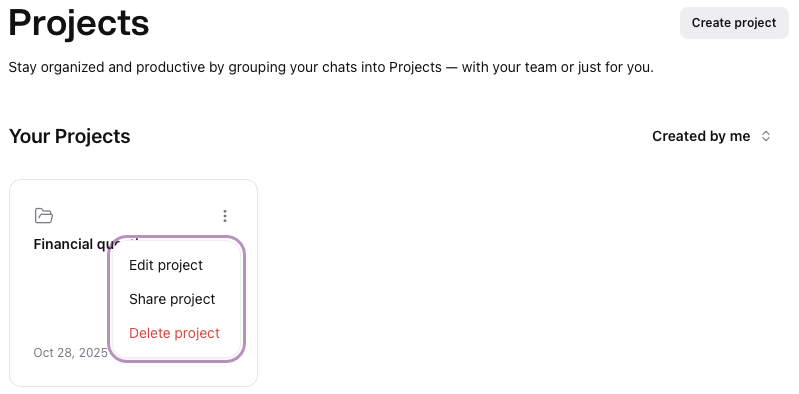
In the project listing, mouse over the top right corner of the project tile to reveal the options menu , click to display the options. , click to display the options.
Click on Edit project
|  |
Project View
|
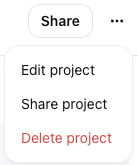
Within the project view, click the options menu  , click to display the options. , click to display the options.
Click on Edit project
|  |
Edit project details window
|
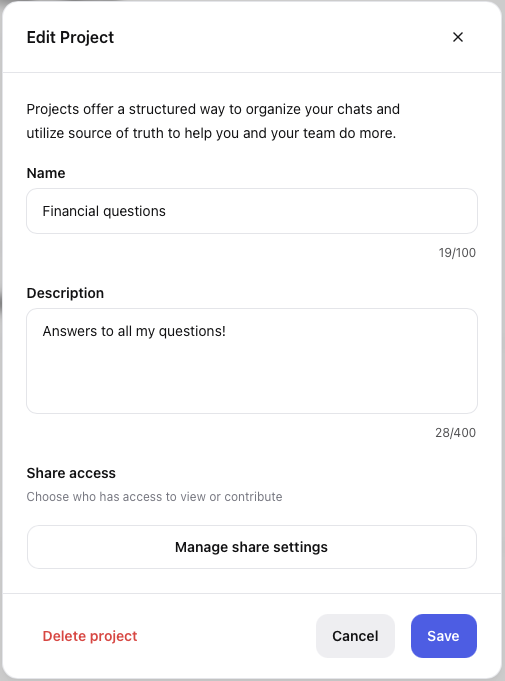
Update the project name, description or sharing settings as necessary.
Click Save to update changes or Cancel to return to the prior screen
Alternatively you have the option to Delete Project
|  |