You.com's Chat Export and Copy features allow you to save and repurpose your AI conversations in multiple formats. Whether you need formatted text for immediate use or want to download entire chat turns as documents, these tools help you maximize the value of your AI interactions.
Key Benefits
- Preserve formatting when copying text to other applications
- Export conversations in multiple document formats
- Download tables as CSV files
- Include comprehensive conversation details in exports
- Maintain source attribution and citations
Copy Features
Formatted Text Copy
- Maintains formatting when pasted into text editors
- Preserves styling for email clients
Markdown Copy
- Perfect for technical documentation
- Maintains structure and formatting syntax
Copying Chat Content
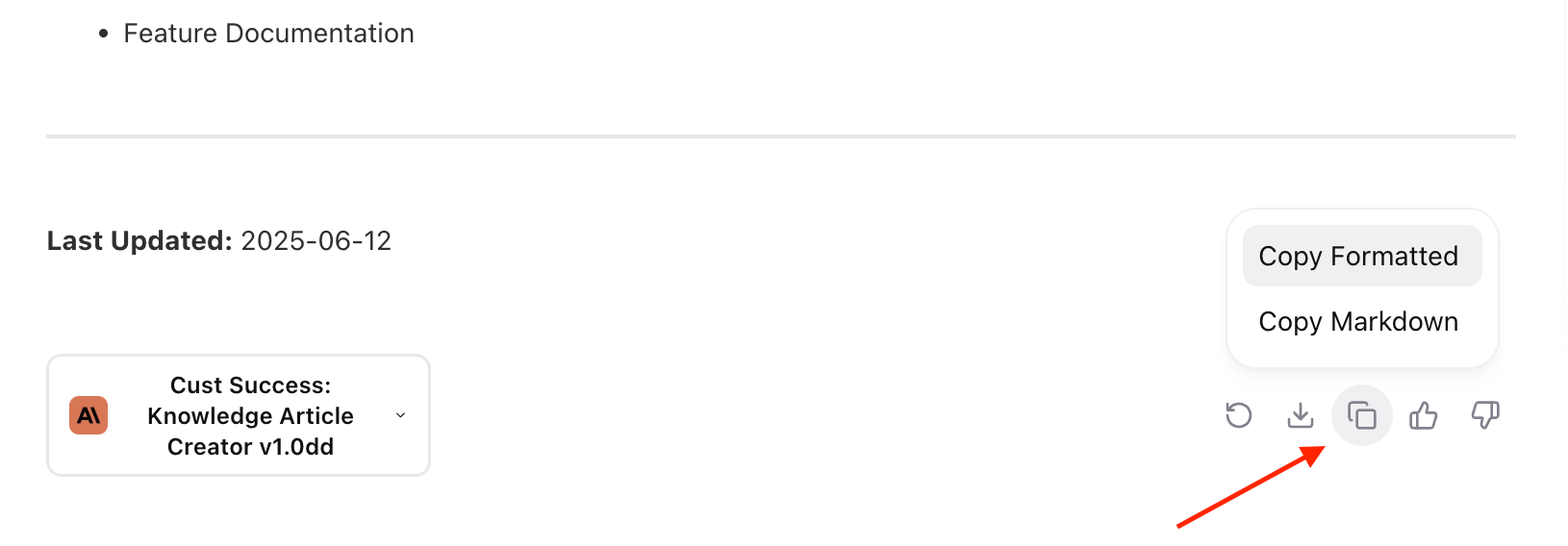
- Locate the copy buttons below any chat response
- Choose between formatted text or markdown copy
- Paste the content into your desired application
Exporting Conversations
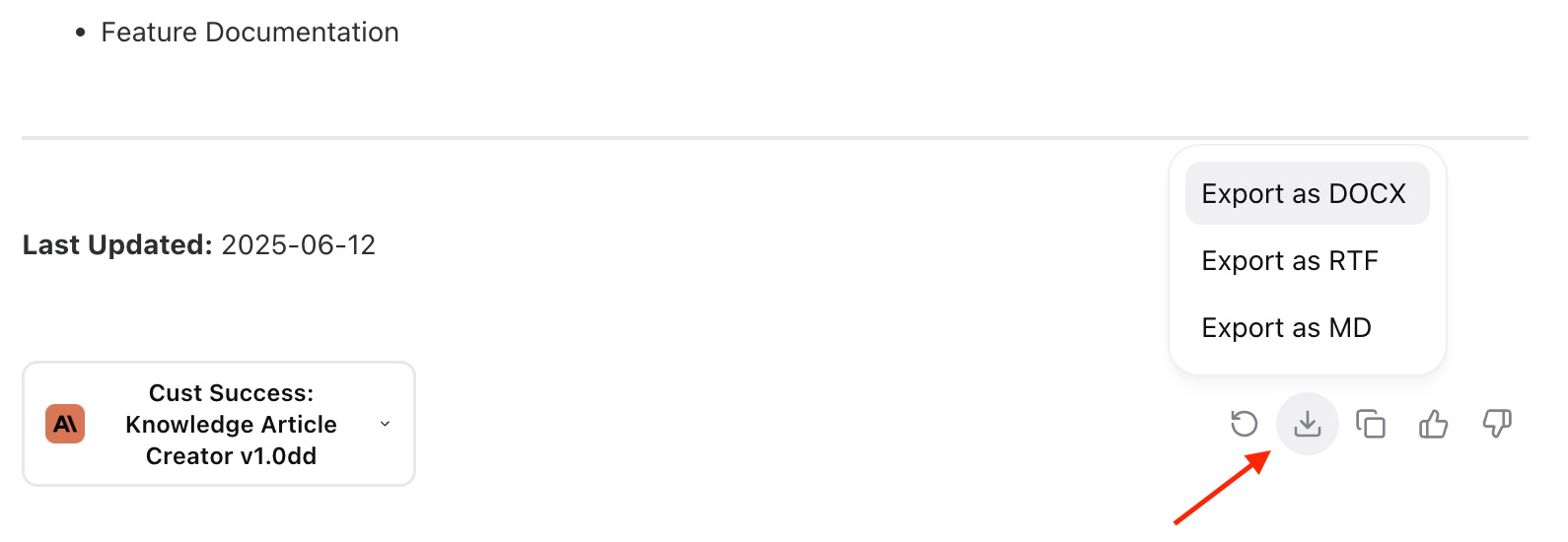
- Find the download button below the response
- Select your preferred format:
- Your export will include:
- Author attribution (name & email)
- Date
- Original query
- Complete response with citations
- Source list
- You.com attribution
Table Exports

- Look for tables in chat responses
- Use the dedicated CSV download option
- Open the file in your preferred spreadsheet application
Best Practices
- Choose formatted text copy for immediate use in documents
- Use markdown copy for technical documentation
- Select DOCX for maximum compatibility
- Export to RTF when formatting preservation is crucial
- Download tables as CSV for data analysis
Troubleshooting
- If formatting is lost, try using the markdown copy option
- For large exports, ensure stable internet connection
- Check file permissions if downloads don't start