Making a chat a favorite adds the selected chat to the favorite group in the chat history bar making it easy to locate and return to.
Chats can be favorited either from the chat history in the menu bar, next to the chat name in the chat title bar or by clicking the star icon  in the chat title bar (top right corner)
Adding a favorite from within the chat window
|
When in the chat click on the ellipsis marks  to display the chat options to display the chat options
Click on Add to Favorites
|  |
Adding a favorite from the chat history bar
|
Click on the ellipsis marks to the right of the chat name
Click on Add to Favorites
|  |
Removing a chat from favorites
|
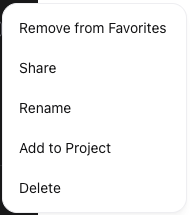
Removing a chat from favorites is similar to adding, select the Remove from favorites from the menu bar, the chat title bar or click on the star icon 
|  |