Chats can be added to a project either from the chat history in the menu bar, next to the chat name in the chat title bar or from within a project
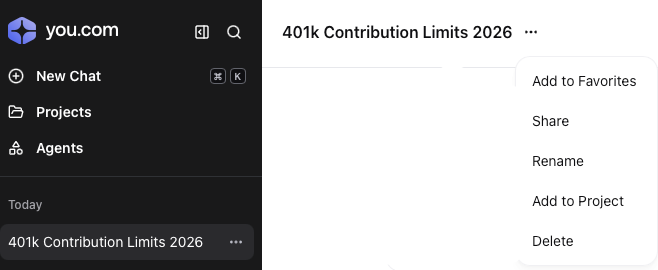
Adding from within the chat window
|
When in the chat click on the ellipsis marks  to display the chat options to display the chat options
Click on Add to Project
|  |
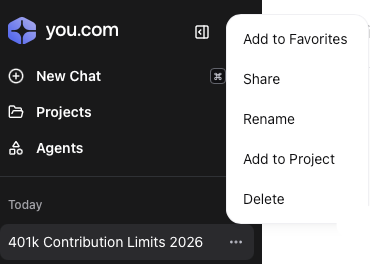
Adding from the chat history bar
|
Click on the ellipsis marks to the right of the chat name
Click on Add to Project
|  |
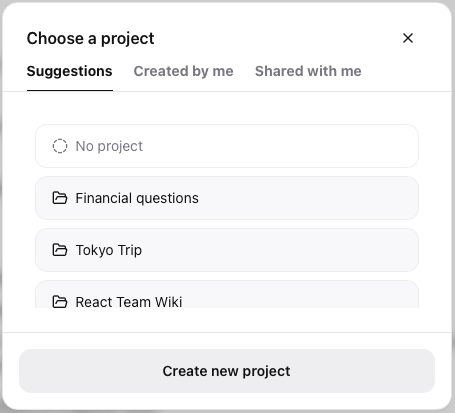
Project Selection
|
Select the correct project from the Suggestions (default view), or from the Created by me or Shared with me tabs. clicking on Yes
Alternatively
Click on Create new project to make a new personal project (it can be shared at a later stage)
|  |